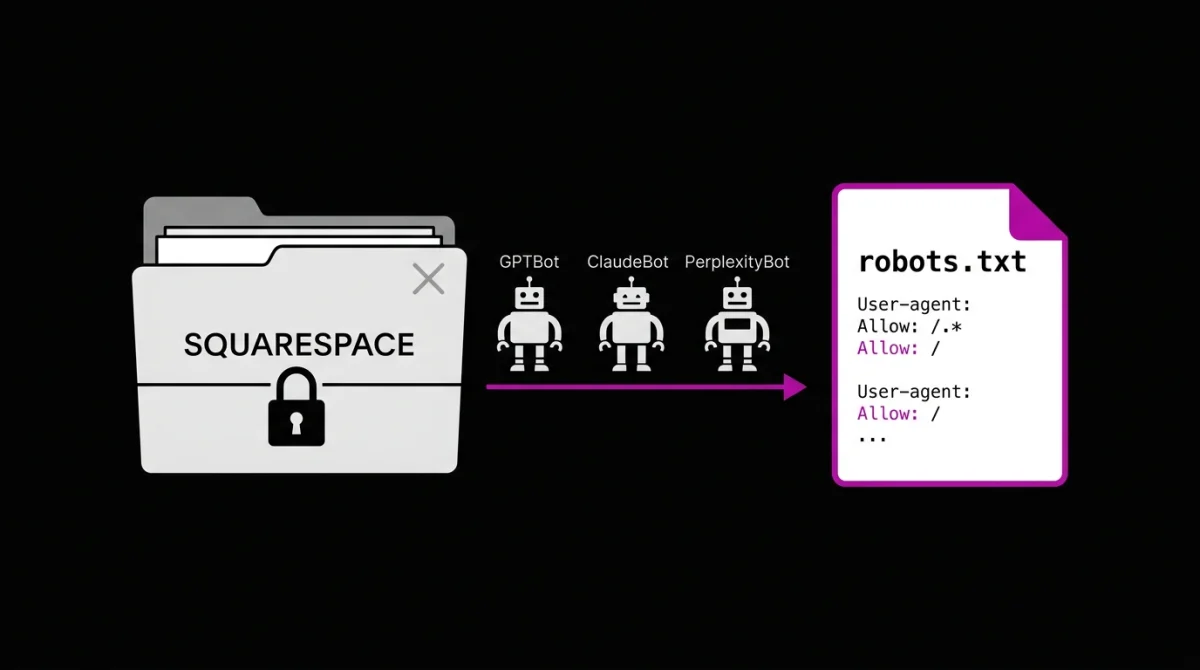
Bottom line: Before Penpixel Creative wrote a single line of client strategy, we rebuilt our own site from the ground up, off Squarespace, because a proprietary platform that hides robots.txt and can’t automate schema isn’t something an AEO firm can stand behind.
Key Takeaways
- Robots.txt Is A Strategic Document In 2026: AI crawlers arrive with three distinct jobs (Search indexing, real-time Agent tasks, model Training), and each one reads robots.txt first before making its own access call. If a platform writes that file for you, it is making per-crawler policy decisions on your behalf.
- Squarespace’s AI Crawler Control Is Binary: A single sitewide checkbox blocks or allows every listed bot at once. Robots.txt cannot be edited directly, and schema deployment is manual, one page at a time.
- Astro Plus Cloudflare Pages Drops The Maintenance Surface To Zero: A static Astro site compiles to plain HTML, with no database to patch or plugin ecosystem to keep current. Every layer of technical SEO is authored and controlled directly.
- Migration Is Real Engineering Time, Not A Weekend Project: Owning a deploy pipeline means inheriting redirects, legacy slug cleanup, and re-indexing. For an AEO firm, that control is the business. For most SaaS teams, it is not the best use of engineering hours.
The Squarespace Problem
Squarespace isn’t built on an open platform like WordPress. It’s a closed system: hosting, templates, and code, all locked inside one interface. That’s a fine tradeoff for a lot of businesses. Squarespace generates a robots.txt file and an XML sitemap automatically, and for most sites, that’s plenty.
It’s not fine for us. Squarespace builds that robots.txt file for you, but it won’t let you edit it directly, a limitation confirmed in Squarespace’s own help documentation. Schema markup exists on the platform, but it’s manual and page by page, with no way to deploy it consistently as a site grows. There’s no access to server configuration, no edge logic, no way to decide, bot by bot, what GPTBot, ClaudeBot, or PerplexityBot is actually allowed to see. Squarespace’s own AI crawler control is a single sitewide checkbox that blocks or allows every listed bot at once, not a per-bot dial.
In 2026, that file is a strategic document, not a formality. AI crawlers show up with different jobs. Some are training models. Some are building a live search index. Some are fetching a single page in real time because a user just asked a question. Each one checks robots.txt first and makes its own call. If you can’t write that file, you’re not making that call. The platform already made it for you.
We sell structured-data visibility for a living. Running our own site on a platform we couldn’t fully open up wasn’t a small inconsistency. It was the whole pitch, undermined by our own homepage.
What We Actually Did
So before we went deep on strategy, we made the call: migrate off Squarespace first, in phases. Keep what mattered (brand colors, down to the hex code), drop what didn’t, and rebuild the infrastructure so we owned every layer of it.
We’re cost-conscious by default. Squarespace’s plans run anywhere from about $16 to close to $100 a month depending on the plan and billing cycle, most small-business builds land in the $25 to $40 range. We priced out cheaper, better-fitting options before committing to anything.
Why Not Wix
We looked at Wix first. Credit where it’s due: Wix has closed the robots.txt gap since the last time we evaluated a builder, you can edit the file directly now, per-bot rules included. But real programmability, custom code and API-level control, lives behind the Business Elite plan at $159.77 a month. That’s roughly four times Wix’s standard Business tier, and it comes bundled with a pile of ecommerce and booking features a content site never touches. We weren’t looking to pay Elite prices for infrastructure we could get for free elsewhere, wrapped in tools we didn’t need.
Why Not WordPress.com
WordPress.com was the harder no. Their Business plan, $40 a month billed monthly, or $20 to $25 on a longer term, actually gets you SSH, WP-CLI, and GitHub-triggered deploys. That’s genuinely close to the workflow we wanted. But it’s still a managed CMS sitting on top of a database we’d be responsible for keeping patched and a plugin ecosystem we’d be responsible for keeping current. We weren’t trying to trade one maintenance surface for a smaller one. We were trying to get to zero. A static, Astro-built site compiles down to files. There’s no database to secure and no plugin to update, because there’s nothing left running once the build finishes.
How We Used Claude
We already pay for Claude, and we’d spent months building a library of custom skills for brand voice, secure code, and infrastructure fundamentals. Using it to actually build the site wasn’t a stretch. It was the obvious next step.
Why Cloudflare, Then Cloudflare Pages
For DNS and hosting, Cloudflare was an easy call. Familiar tooling, and it also comes with something that mattered more than we expected: a public preview link for every deployment. That let the whole team review and sign off on every build without a terminal walkthrough.
From there, Cloudflare Pages picked up the deployment pipeline natively: push to main, Cloudflare builds it, Cloudflare deploys it. No more manually uploading files and hoping nothing broke.
The Result
The result is a static, Astro-built site. Pages render as real HTML by default, no JavaScript a crawler has to wait on, and every piece of technical SEO, our robots.txt, our schema, our sitemap, our headers, is something we write and control directly instead of hoping a vendor set it up right.
A quick translation, if “static site” and crawler permissions aren’t your language: Astro is a framework that builds pages as plain HTML by default. No JavaScript has to run before a browser, or a bot, can read what’s actually on the page. That distinction is the entire reason we can make specific claims about our robots.txt and schema instead of hedging on them.
Why Every AI Crawler Is Set To Allow
It’s also why every AI crawler category on our Cloudflare zone, Search, Agent, and Training, is set to Allow. We’re an AEO firm. Blocking the exact systems we’re paid to get our clients in front of would undercut our own pitch before a client ever read it. Allow is a decision we made on purpose, not a default we forgot to check.
If that setting makes you nervous on your own site, you’re asking the right question, just maybe not about the right category yet. Search and Agent traffic is what puts you in front of someone typing a question into ChatGPT or Gemini right now. Training is the category worth real deliberation, since that’s the one actually feeding a model rather than fetching a live answer for a person. That’s a big enough topic to earn its own post. We’ll cover it properly soon.
What It Actually Cost Us
Here’s the part most companies leave out of a story like this: it wasn’t free, and it wasn’t a weekend project.
Migrating off a hosted platform means you inherit everything that platform used to handle quietly. We spent real hours in Google Search Console chasing down legacy Squarespace slugs that no longer existed, remapping redirects, and re-indexing pages by hand so we didn’t lose what little search equity we’d already built. That work is unglamorous, and it’s exactly the kind of thing a hosted platform is designed to make you never think about.
This also isn’t a “leave Squarespace” argument for every business. Most companies don’t need to own their deploy pipeline or hand-fix 404s from a platform migration. That’s real engineering time, and for most SaaS teams, it isn’t the best use of it.
The Bottom Line
For an AEO firm, controlling that layer isn’t optional. It’s the business. For most companies, it’s one piece of a larger technical SEO picture, and the right call depends on what you’re actually trying to be visible for.
But controlling it once isn’t the same as owning it. Migrating off Squarespace didn’t finish this work, it started it. Robots.txt directives get reconsidered as new bots show up. Cloudflare’s own bot categories are shifting their defaults on September 15. Schema needs updating every time we ship something new. That ongoing work is what we mean when we talk about a digital estate: not a site you build once and leave alone, but a property you actively maintain because the bots reading it, and the rules they follow, keep changing under you.
Either way, it’s the same question we had to answer for ourselves before we could put it to a client with a straight face: do you actually know what GPTBot, ClaudeBot, and PerplexityBot see when they hit your homepage today, or are you trusting your platform’s defaults to still have it handled next quarter?
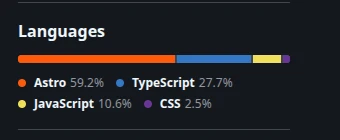
Next up: a technical breakdown of Astro as a static site framework, what it actually does under the hood, and which businesses get real value from pairing it with Cloudflare hosting.